

Glow by Ayemel
Glow by Ayemel
Your whole wellbeing, gently.
Sleep, movement, food and habits in one calm place, made for everyone. Cycle tracking is there if you want it.
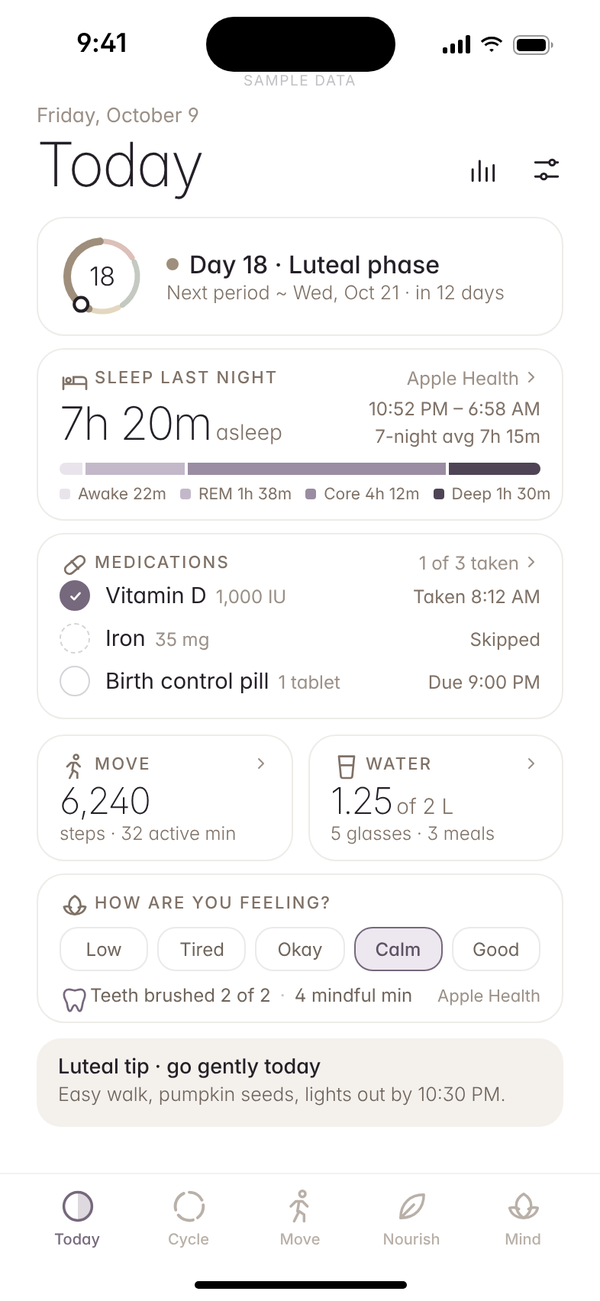
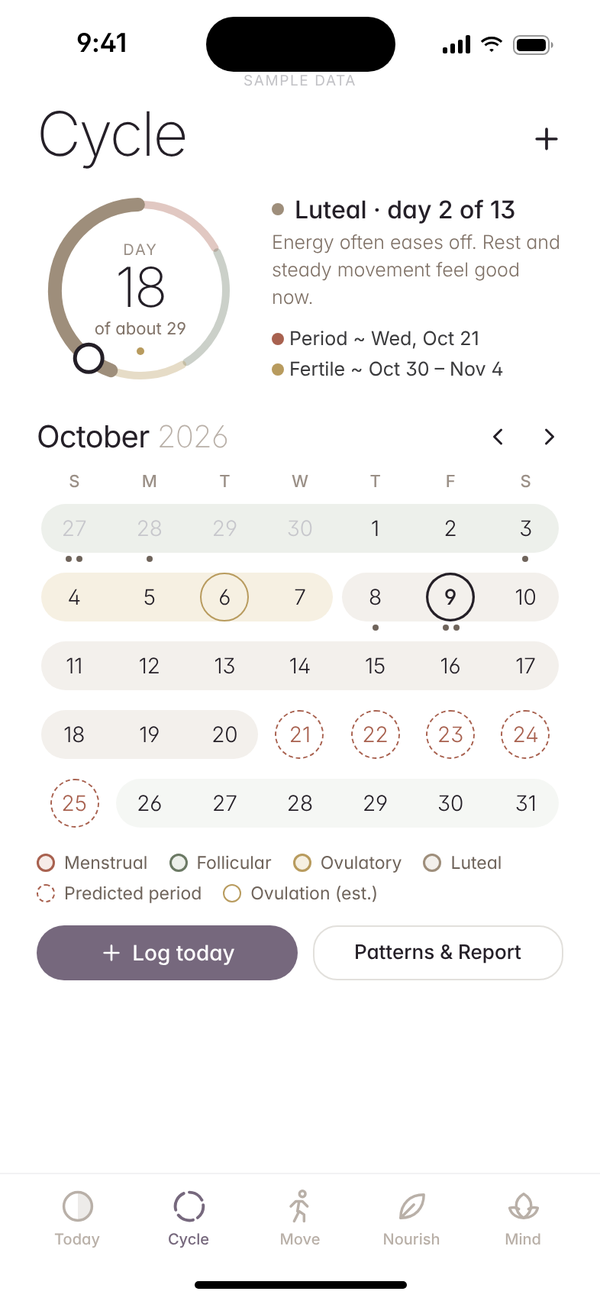
A look inside
Five areas, one calm place.
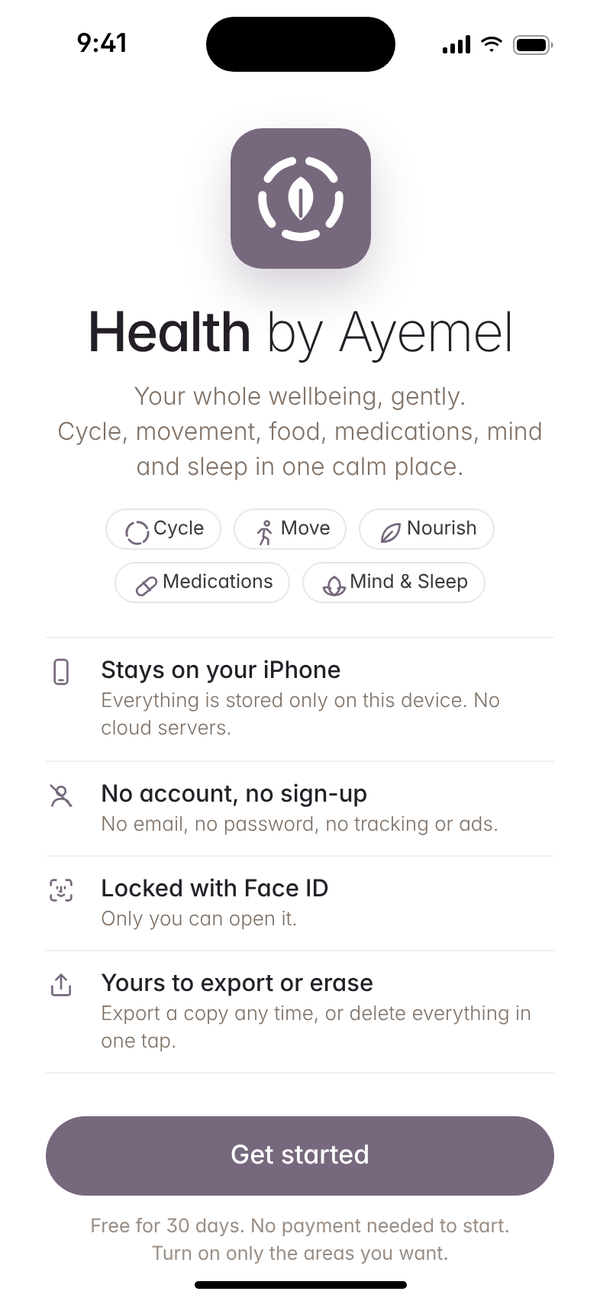
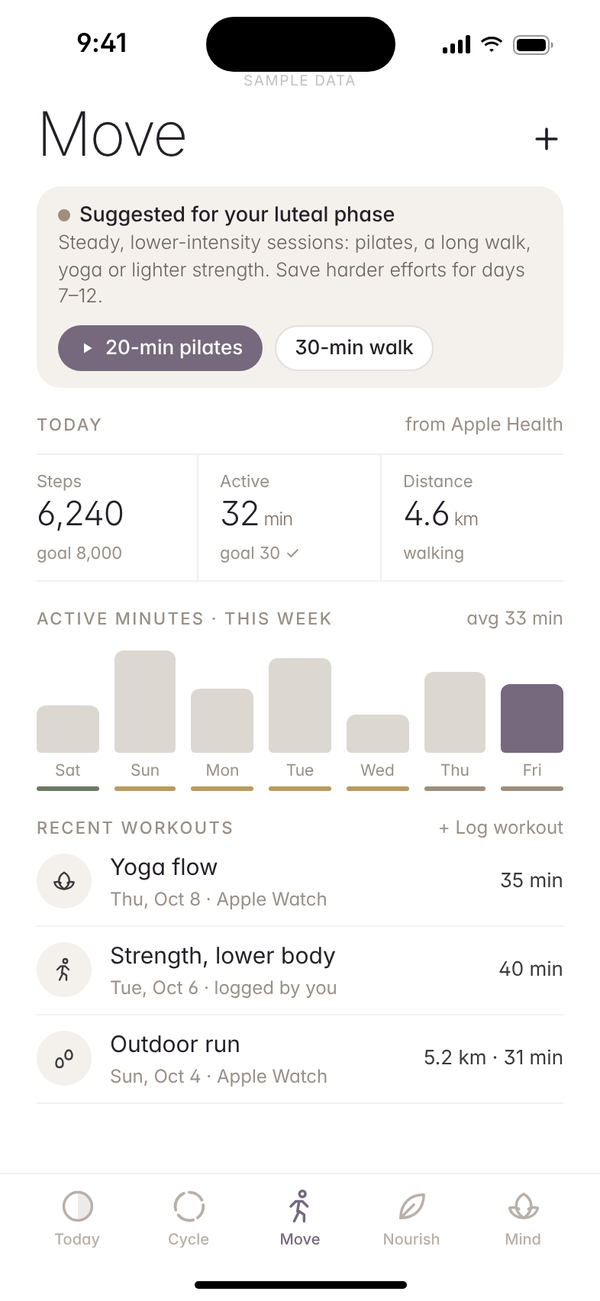
Features
Everything in one calm view.
Today brings your sleep, movement, meals and habits together, at your own pace.
Move & Fitness
Guided workouts at your own pace, plus steps and activity from Apple Health.
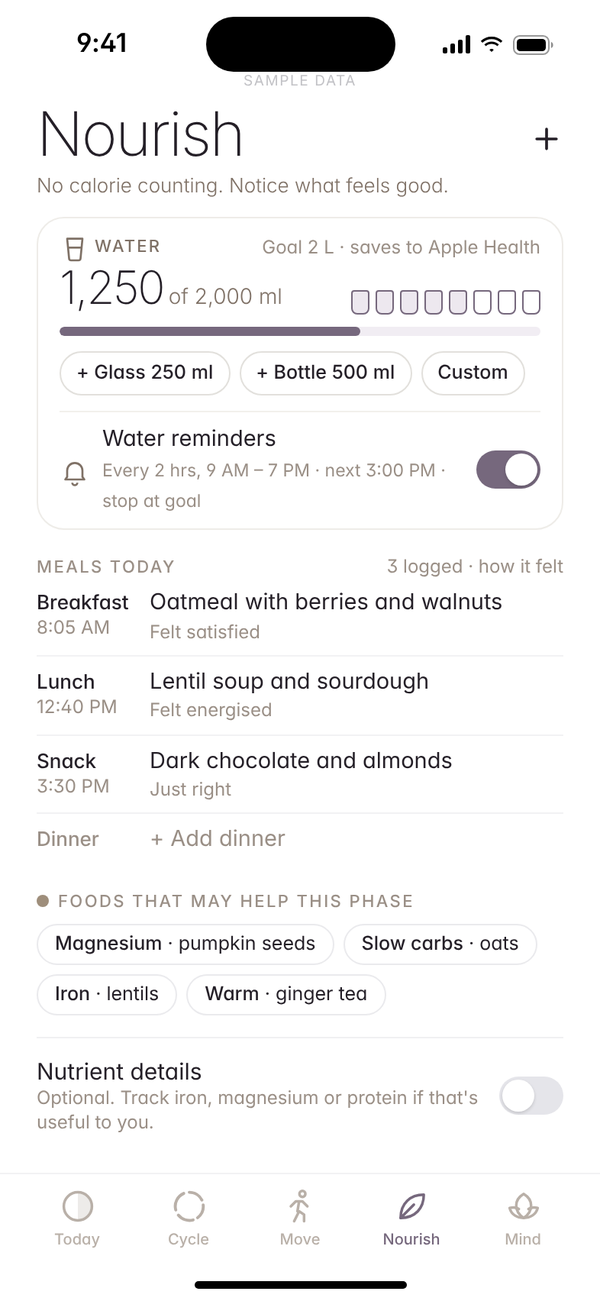
Nourish
A gentle meal log that fits how you eat, plus water tracking and reminders.
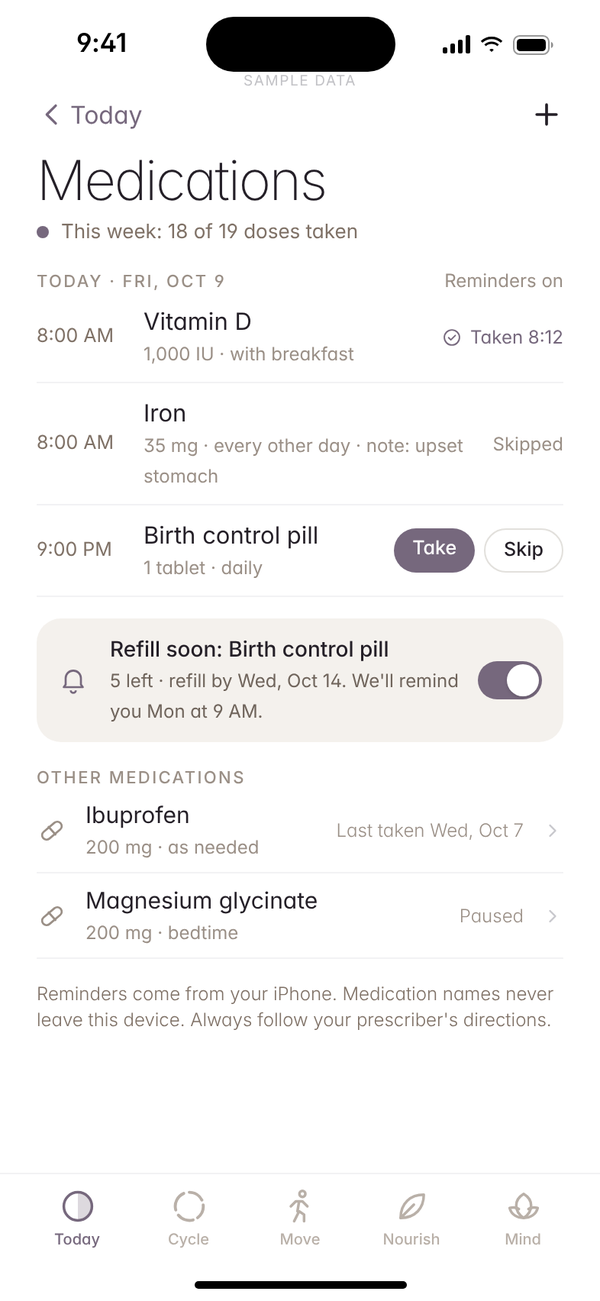
Medications
Your list, reminders, a simple check-off and refill alerts.
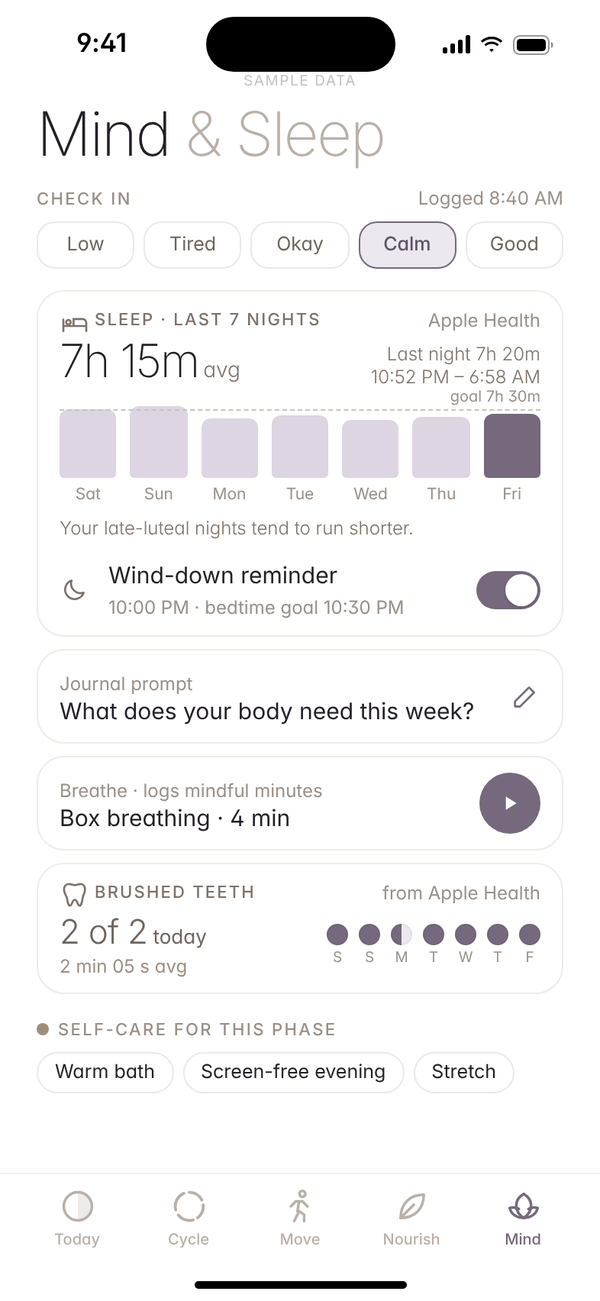
Sleep & Mind
Sleep stages and trends from Apple Health, mood check-ins, wind-down reminders, journaling and breathing.
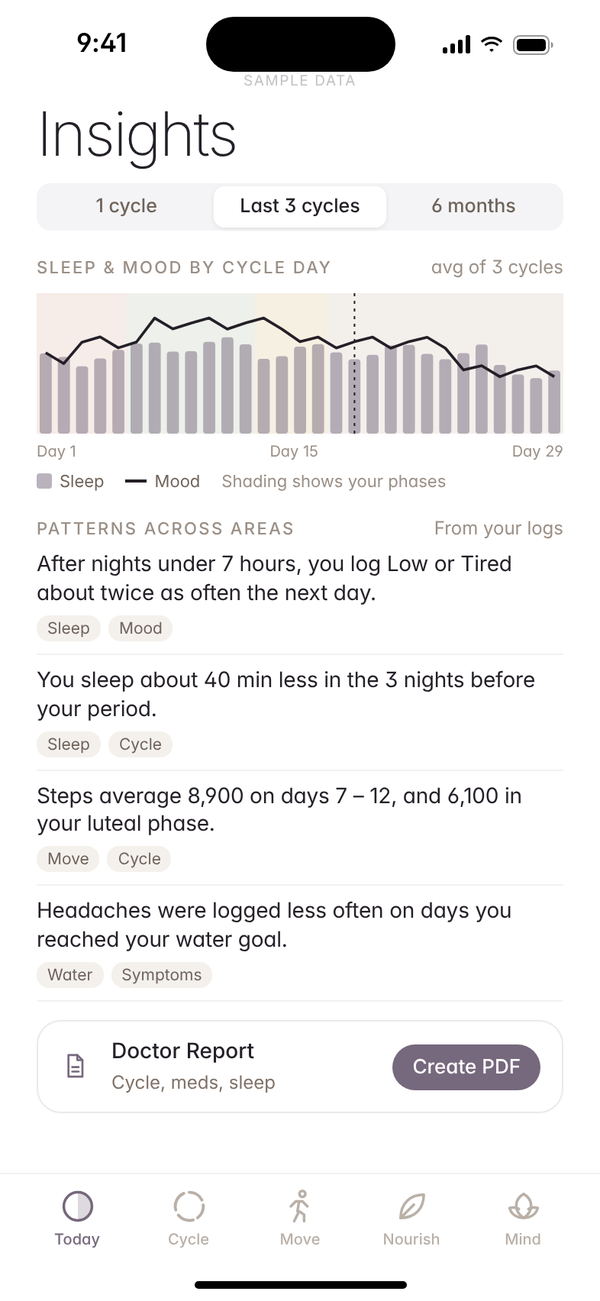
Cross-Area Insights
See how sleep, mood, movement and food connect, and your cycle too if you track it.
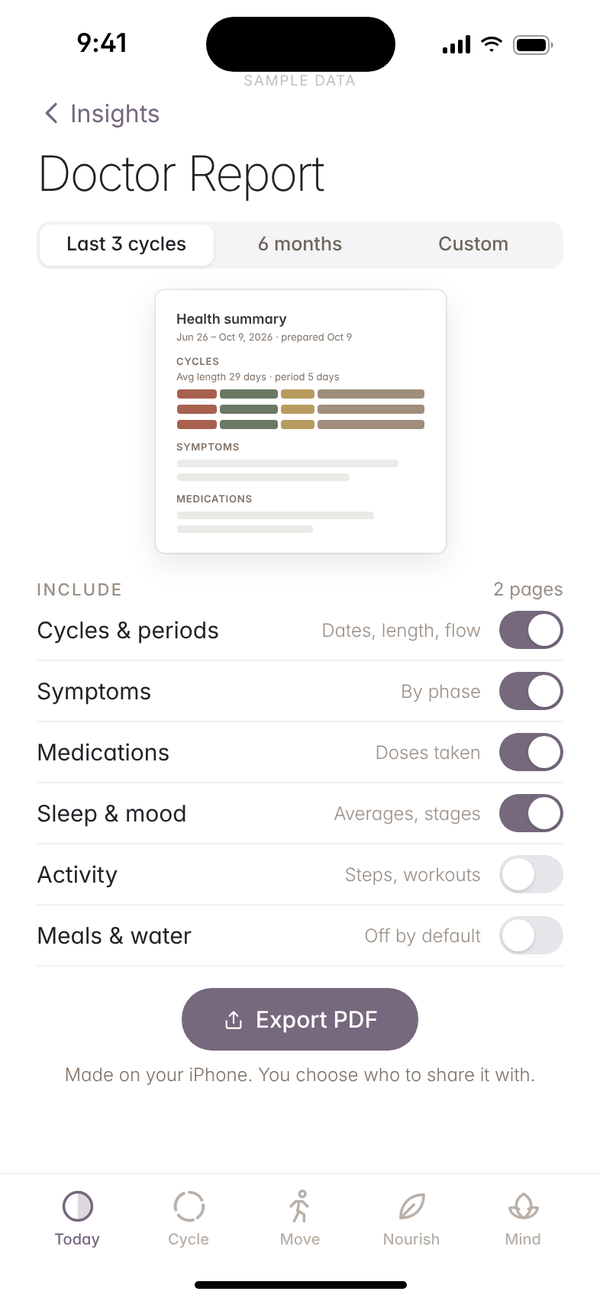
Doctor’s Report
Make a PDF on your iPhone with just the sections you choose to share.
Face ID Lock
Keep it private, even when someone else is holding your phone.
Cycle, if you want it
Optional. Switch it on in onboarding or leave it off. When it’s on, a cycle ring and calendar with gentle tips for each phase.
Guided onboarding
A gentle setup picks the areas you care about. Cycle tracking is a simple on/off switch, off unless you turn it on.
Apple Health sync
Bring in sleep, steps and workouts from Apple Health, only with your permission.
Widgets
Today’s sleep, movement and habits on your Home Screen and Lock Screen.
Habits
Any habit, your schedule.
Build the habits that matter to you, or break the ones that don’t, on a schedule that fits your life.
Track it your way
Tick it off, count it, time it, or log an amount in your own unit.
Habits to break
Track the habits you want less of, not just the ones you want more of.
Your own schedule
Daily, on chosen weekdays, a set number of times per week or month, or several times a day.
Gentle reminders
A nudge at the times you choose, only for the habits you want.
Streaks
Watch your streaks grow, one calm day at a time.
Ticks itself off
Ready-made shortcuts like water, brushing and steps tick themselves off.
Privacy
Private by design, always.
Health data is personal. Glow by Ayemel keeps it on your iPhone, with no account and nothing to sign up for.
Stays on your iPhoneEverything is stored on this device. No cloud servers.
No account, no sign-upNo email, no password, no tracking or ads.
Locked with Face IDOnly you can open it.
Yours to export or eraseExport a copy any time, or delete everything in one tap.

Better together · Glow + Planner
Log it in Glow, see it in Planner.
Today’s habits, medications you take and, if you track your cycle, period days in Glow by Ayemel can sync to Planner by Ayemel, if you choose. Your calendar can then show habits, medication reminders, refills and period days alongside everything else. Glow stays where you log; Planner shows it.
Each Ayemel app is complete on its own. If you have more than one, they work harmoniously together. Meet the family
Period daysIf cycle tracking is on, days you log in Glow can appear on your Planner calendar.
Medication remindersReminders for the medications you take can sit next to your events.
Today’s habitsThe habits due today can show up in Planner next to your plans.
RefillsRefill dates can show up in Planner before you run out.
Pricing
Try it free for 30 days.
No payment needed to start. Then choose the plan that suits you.
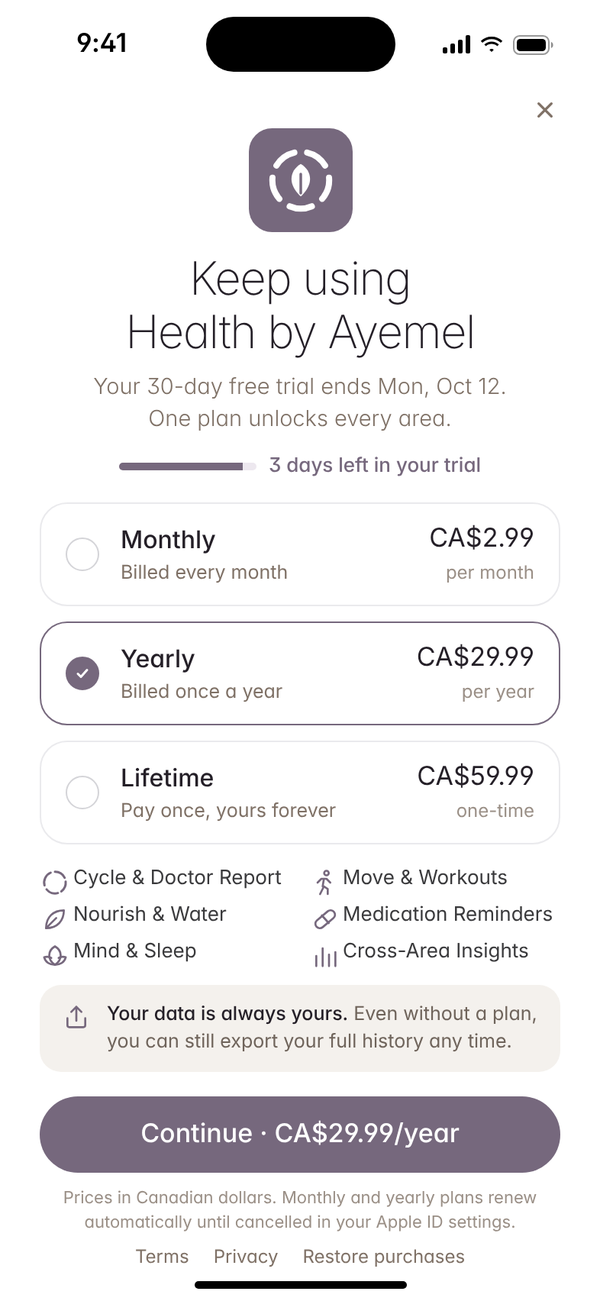
30-day free trial · everything unlocked, then pick a plan below.
Monthly
CA$2.99
/ month
Billed every month.
Yearly
CA$29.99
/ year
Billed once a year.
Lifetime
CA$59.99
one-time
Pay once, yours forever.
Prices in Canadian dollars. Monthly and yearly plans renew automatically until cancelled in your Apple ID settings. Data export is always available, with or without a plan.
TestFlight
Try Glow by Ayemel early.
Glow by Ayemel is in development and not on the App Store yet. Join the invite list and we’ll email you when a TestFlight beta opens.
1
Join the listTell us which apps and devices you’d like to test.
2
Get your inviteWe send TestFlight invites by email in small batches.
3
Share what you thinkSend feedback in TestFlight or on our feature board.