

Planner by Ayemel
Planner by Ayemel
A calendar and reminder app.
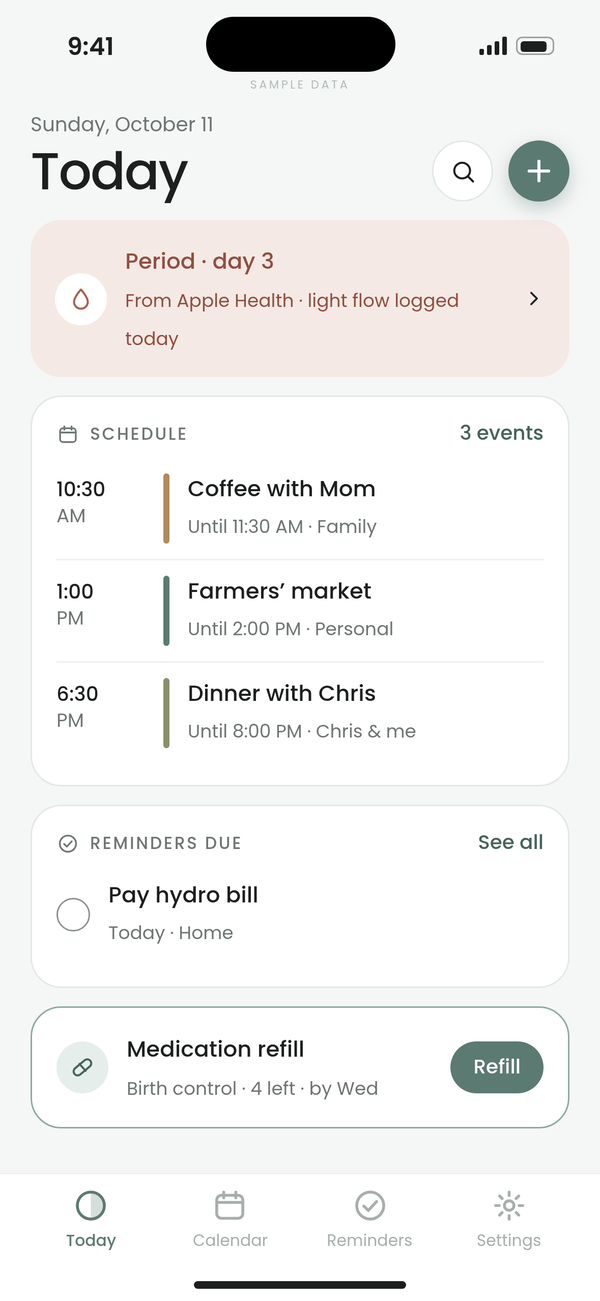
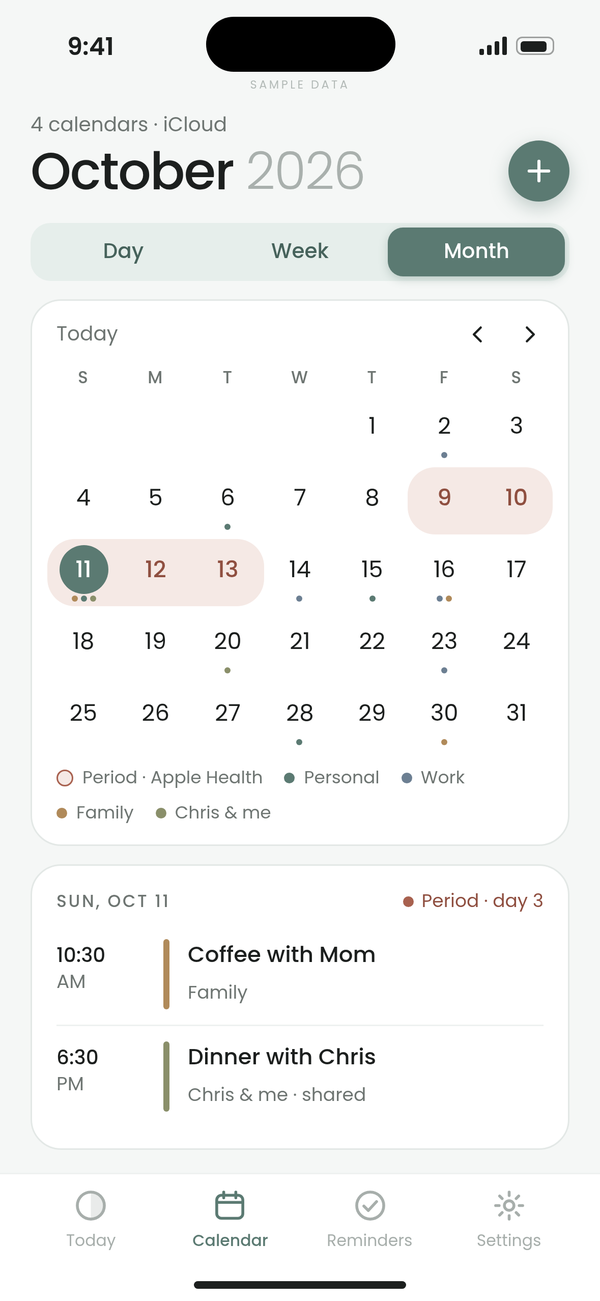
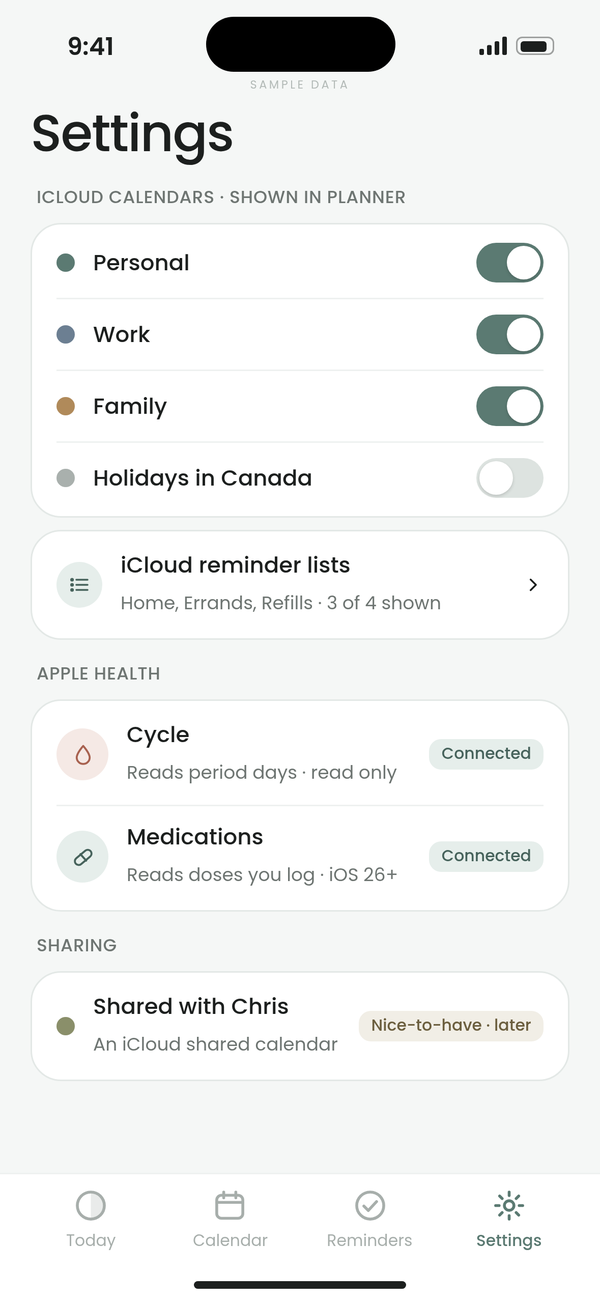
Planner by Ayemel syncs with your iCloud calendars and reminders, and with Apple Health for period days and medication refills. Same calm look and feel as Budget and Health.
A look inside
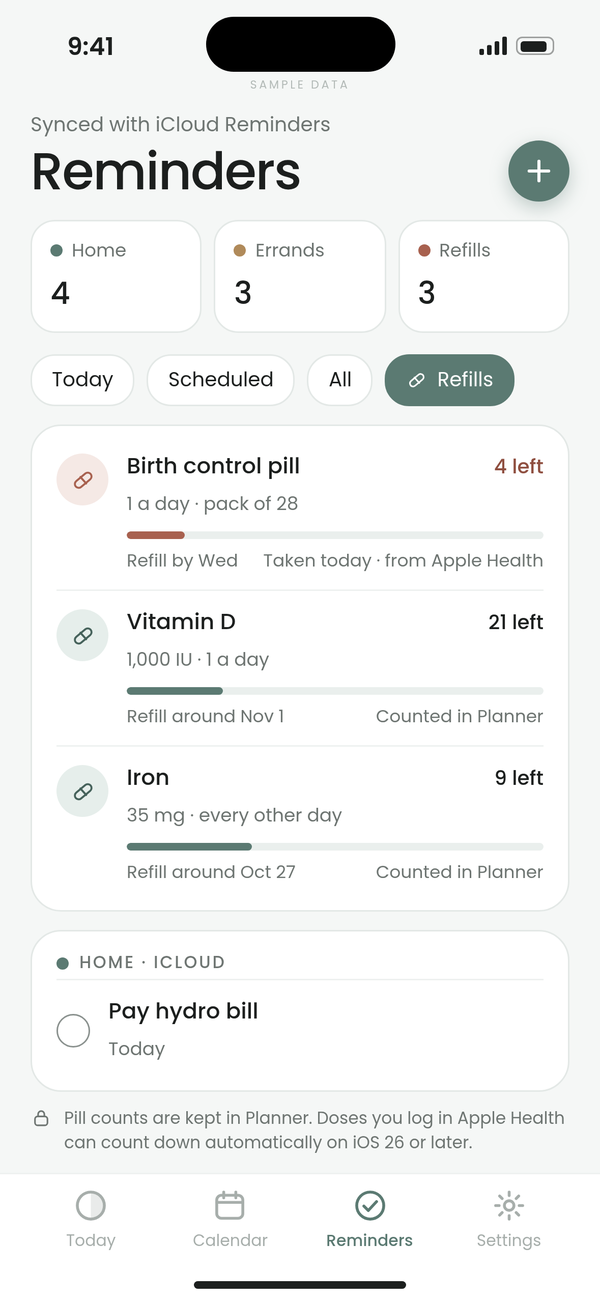
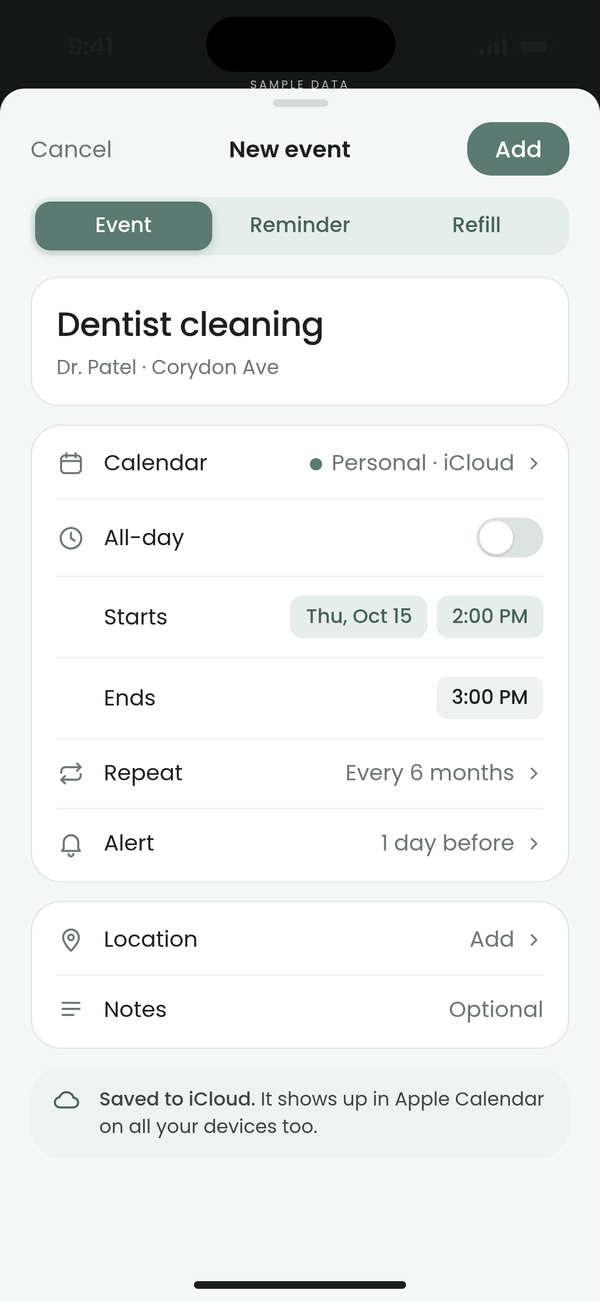
Calendar and reminders, side by side.
Countdowns
Count down to what matters.
Countdowns to the moments that make life worth living: trips, birthdays, concerts.
Emoji or photo
Give each countdown an emoji or a photo, so it feels like the moment itself.
Closest on Today
Your nearest countdown sits right on the Today screen.
Gentle nudges
Optional reminders like ‘1 week to go’, only if you want them.
Linked savings goals
Link a Budget by Ayemel savings goal and a countdown can show its progress, like ‘Summer trip: 41% saved’.
Works with
Syncs with what you already use.
Planner by Ayemel works with your existing iCloud calendars and reminder lists, and with Apple Health for period days and medication refills.
iCloud CalendarsYour existing calendars.
iCloud RemindersYour existing reminder lists.
Apple HealthPeriod days and medication refills.

Better together · Health + Planner
Log it in Health, see it in Planner.
Periods you log, medications you take and today’s habits in Health by Ayemel can sync to Planner by Ayemel, if you choose. Your calendar can then show period days, medication reminders, refills and habits alongside everything else. Health stays where you log; Planner shows it.
Each Ayemel app is complete on its own. If you have more than one, they work harmoniously together. Meet the family
Period daysDays you log in Health can appear on your Planner calendar.
Medication remindersReminders for the medications you take can sit next to your events.
Today’s habitsThe habits due today can show up in Planner next to your plans.
RefillsRefill dates can show up in Planner before you run out.
TestFlight
Try Planner by Ayemel early.
Planner by Ayemel is coming soon. Join the invite list and we’ll email you when a TestFlight beta opens.
1
Join the listTell us which apps and devices you’d like to test.
2
Get your inviteWe send TestFlight invites by email in small batches.
3
Share what you thinkSend feedback in TestFlight or on our feature board.